

Top 5 AI Tools That Actually Help Developers in 2026
Discover the 5 best AI coding tools developers use in 2026. Compare Cursor, Claude Code, GitHub Copilot, Windsurf, and Aider to boost productivity.
I went through current rankings, developer feedback, and how these tools are actually being used day to day in mid 2026, and narrowed it down to five that consistently earn their spot in a working developer’s toolkit.
1. Cursor — Best Overall AI Code Editor
I switched to Cursor a few months ago after using VS Code with GitHub Copilot for years. The biggest difference wasn’t autocomplete,it was being able to ask the editor to refactor an entire feature across multiple files. That alone saved me hours during a recent project.
It’s a VS Code fork, so the learning curve is small, but it layers on deep codebase awareness, multi file editing through Composer, sharp tab completion, and genuine agentic features that can carry out larger changes across a project. Most engineers who switch report a real jump in how fast they move through a normal coding day.
Best for: Daily coding, complex projects, multi file refactors Pricing: Free tier available, Pro around $20/month Why it stands out: It gets the balance right. It feels like a natural upgrade from VS Code rather than a whole new tool to learn, while still giving you true agent capability underneath.

2. Claude Code — Best Terminal Agent for Serious Work
Claude Code, built by Anthropic, The first time I used Claude Code was to untangle a backend API that had grown to nearly 20 files. Instead of giving it one file at a time, I asked it to understand the entire flow. It caught two edge cases I had overlooked. It’s not perfect, but it’s one of the few AI tools I trust for larger refactors.
It’s particularly good at multi file changes, deep debugging, big refactors, and agentic workflows generally. A lot of senior developers now pair it with Cursor, or lean on it as their main tool once a task gets heavy. Backed by strong models in the Claude Opus family, it tends to hold up well on complex reasoning where other agents start to lose the thread.
Best for: Large codebase changes, terminal first workflows, deep debugging Pricing: Included with paid Claude plans (Pro starts around $20/month), usage based pricing for heavier work Why it stands out: A noticeably better grasp of complex code, and fewer of those confidently wrong “hallucinated” changes on hard tasks.
3. GitHub Copilot — Best for Teams and Existing Workflows
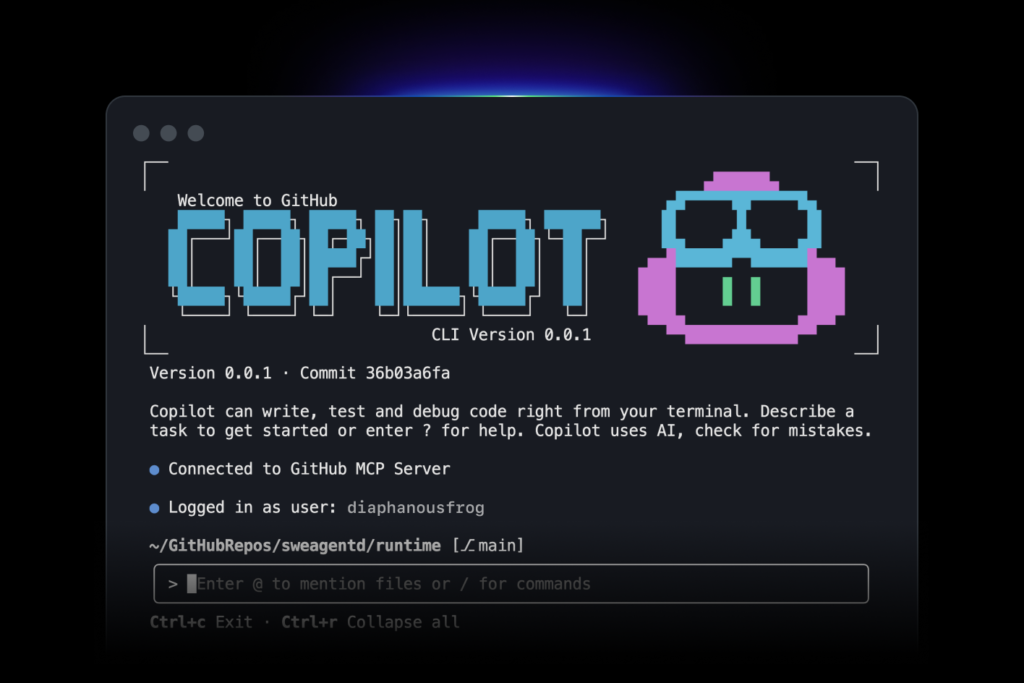
If your team already uses GitHub every day, Copilot is usually the easiest recommendation. Nobody has to learn a new editor, and developers can start using AI suggestions within minutes.
It gives you strong inline suggestions across nearly every major IDE (VS Code, JetBrains, Visual Studio, Neovim, and more), a solid agent mode, and tight integration with GitHub pull requests and issues. For a lot of organizations, it stays the default simply because adopting it barely changes anyone’s workflow.
Best for: Teams, enterprise environments, developers who want AI help without switching editors Pricing: Free tier available, Pro around $10/month Why it stands out: The widest IDE support out there, and the least friction for companies already built around GitHub.
4. Windsurf — Best Free or Budget AI Editor
Windsurf, from Codeium, has become the strongest free or low cost alternative to Cursor.
It offers a similar AI first editor experience, complete with a capable Cascade agent, solid multi file support, and a genuinely generous free tier. Plenty of developers run it as their main editor, or keep it as a secondary tool when they want agentic features without paying for Cursor.
Best for: Solo developers, students, and anyone who wants strong AI features without a big budget Pricing: Generous free tier, paid plans around $15 to $20/month Why it stands out: The best free option that still feels current and genuinely agent capable in 2026.

5. Aider — Best Open Source Terminal Tool
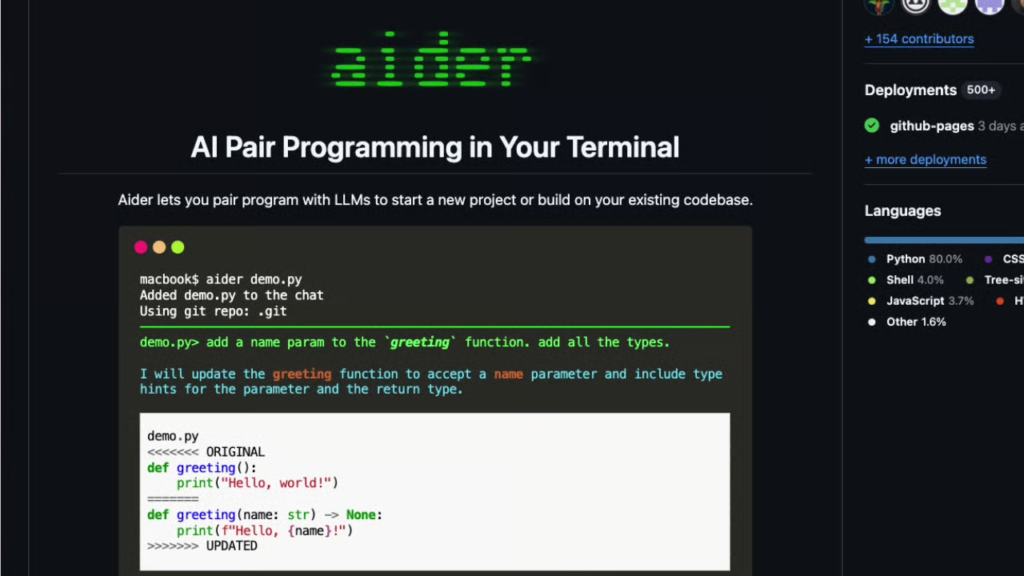
Aider is the default open source pick for developers who want full control and prefer working in the terminal.
It’s model agnostic, so you bring your own API keys, integrates tightly with Git, and works well for a pair programming style of building software. Plenty of power users run it alongside Cursor or Claude Code when they want complete transparency and zero vendor lock in.
Best for: Terminal power users, open source fans, cost conscious developers who already pay for model access Pricing: Free (you only pay for the underlying model usage) Why it stands out: Completely free, highly customizable, and built around Git from the ground up.
Quick Comparison
| Tool | Best For | Interface | Starting Price | Agentic Strength |
| Cursor | Daily coding and complex work | AI IDE | Free / $20 mo | Excellent |
| Claude Code | Large refactors and reasoning | Terminal | ~$20 mo | Excellent |
| GitHub Copilot | Teams and existing workflows | IDE extension | Free / $10 mo | Good |
| Windsurf | Budget or free AI editing | AI IDE | Free / ~$15 to $20 mo | Very Good |
| Aider | Open source terminal work | Terminal | Free (BYOK) | Very Good |
How Most Developers Actually Use These Tools in 2026
Almost nobody sticks to just one. The setups that keep coming up as genuinely productive are:
- Cursor + Claude Code: daily visual editing paired with a powerful terminal agent for the harder stuff
- GitHub Copilot + Claude Code: keep the IDE your team already uses, bring in a strong agent when tasks get bigger
- Windsurf or Aider alone: when budget or control matters more than anything else
Final Advice
Start with Cursor if you want the best all round experience and don’t mind switching editors.
Stick with GitHub Copilot if you’d rather change as little as possible.
Bring in Claude Code once you’re dealing with serious multi file work or reasoning heavy problems.
Reach for Windsurf or Aider if cost or openness is what matters most to you.
The real productivity gain in 2026 isn’t about crowning one “best” tool. It comes from pairing a strong editor with a capable agent, and still reviewing the output carefully yourself.
Which of these five are you already using, and If I had to choose only one AI coding tool today, I’d start with Cursor because it strikes the best balance between ease of use and powerful automation. For difficult debugging sessions or large architectural changes, Claude Code is the one I reach for next. GitHub Copilot remains a solid choice for teams, while Windsurf and Aider are excellent if you want to keep costs down or prefer open-source tools.